I. Guiding ideology
In order to welcome the 105th anniversary of SUFE, it is planned to hold skipping activities for the teachers, students and alumni so as to encourage participants to strengthen their bodies and spirit.
II. Details of activities
The skipping relay activity is held grandly from November 7th to December 31st. Participants can punch in for 105 times of skipping through the app Habit Star APP.
Before December 11th, every 3 times of exercises can be counted as 0.5 extra-curricular exercise point with a maximum of 1 point per day.
III. Punch Platform
Habit Star APP
IV. Registration method
Log into “Habit Star APP”and enter the activity of Shanghai University of Finance and Economics to register and submit the school information.
Shanghai University of Finance and Economics Physical Education Department
Shanghai University of Finance and Economics Alumni Association
November 4th, 2022
【Appendix】
1. Download Habit Star APP:
Search the app store for Habit Star” or scan the QR code below to download:

2. Login:
After downloading, open “Habit Star APP “and log in. You can log in through verification code or password as shown in the following figure.
|
|


3. Create your account
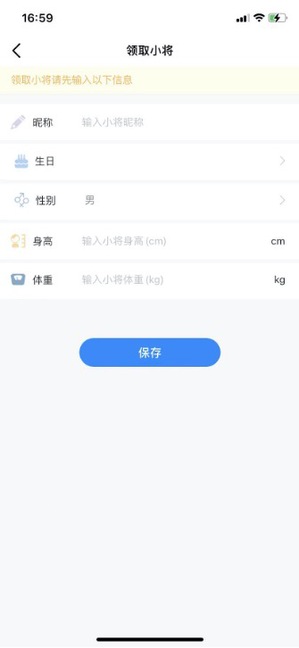
After logging in for the first time, you need to create an athlete. Click “Create” to get your exclusive athlete.

Enter your correct height and weight, and the AI motion analysis data will be more accurate. After saving, you will enter the next page.
4. Next page
Save successfully.
At the top is the 105th anniversary rope skipping activity of Shanghai University of Finance and Economics. Unregistered users can click here to enter the registration certification. Registered users can click here to enter the activity punch-in page.

5. Event details
Unregistered users click to“逛逛-财大”.
Click I want to register to enter the event registration certification page and register.
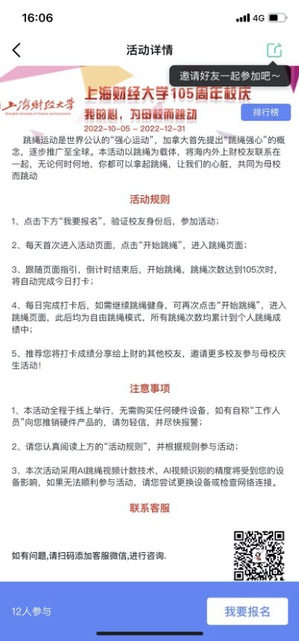
6. Activity registration certification
Fill in the information in the form, submit and certify successfully, then you can participate in the activity. Students need to fill in their student number and name accurately, and the system will check them according to the list of students.

7. Active punch-in
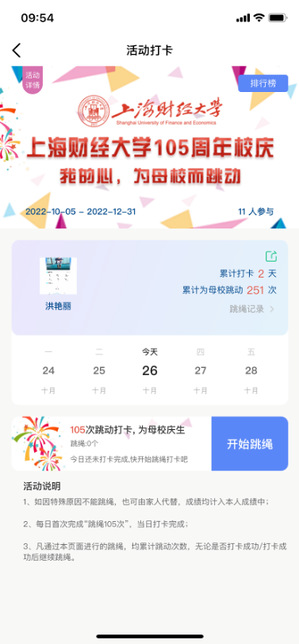
After successful registration, you can enter theActivity Punching.
Activity details: click “the activity details” to get the specific activity description;
Ranking: click ”ranking”.
Rope skipping record: Click “the rope skipping record” to view the historical rope skipping record;
Punching in: show the number of punch-in days during the activity;
Start skipping rope: Click “Start” to punch in the activity of the day.
8. Start skipping rope
Click “Start Jumping Rope” to perform video jumping rope punching.
|
|
|



After successful identification, wait for the countdown and start Skipping.
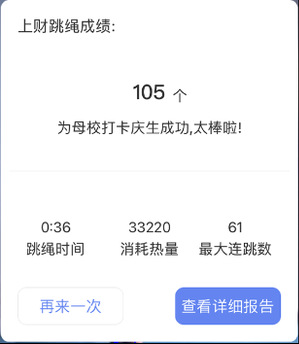
Complete skipping rope for 105 times” and you can punch in successfully on the same day:
After punching in, you can click “Start Skipping” again to continue beating, adding the cumulative beating times and sprinting the cumulative beating list.
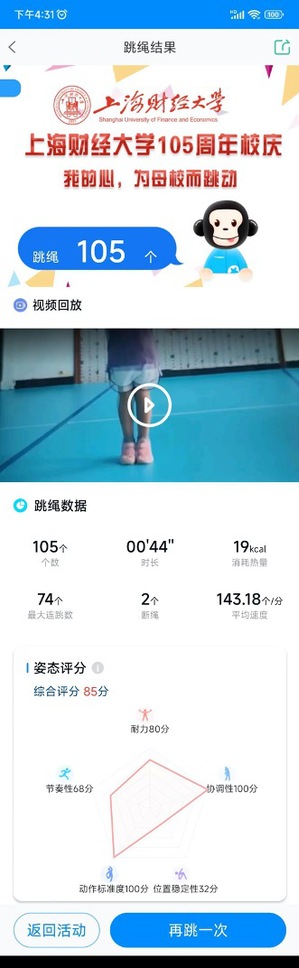
Detailed Report: Click to view the detailed report in the pop-up window to get the details of this skipping report, as shown in the following figure.
9.Activity ranking
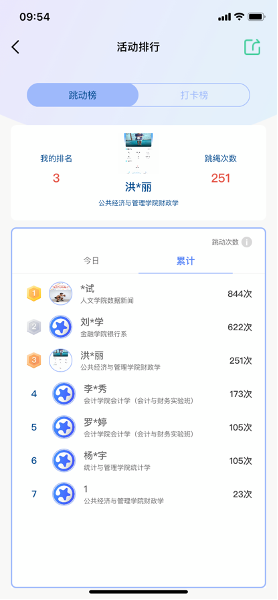
You can click “Ranking” to view today's beating list, cumulative beating list and punch-in list and share it with We Chat friends or save to album.
10. Rope skipping record
Click “the skipping record”
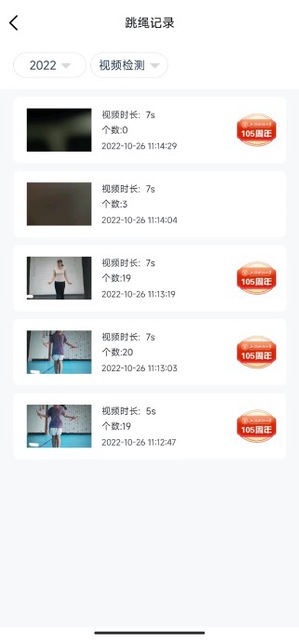
Click “Skipping record” to view the detailed data of each skipping rope.
11.Ending of activity
After the activity, you can review your participation in “My Activity”.